
Articles
Smart M-Air alternative: control your MHI air conditioner over Wi-Fi
Control your Mitsubishi Heavy Industries air conditioner from your phone over your home Wi-Fi. See what MyAirco can do, which air conditioners are supported and why it cannot control them while you are away.
Looking for a Smart M-Air alternative for your Mitsubishi Heavy Industries air conditioner? MyAirco lets you control it from your Android phone over your home Wi-Fi. You can change the temperature, switch between cooling and heating, and see your air conditioners together in one app. You do not need a MyAirco account.
You can use MyAirco in English and choose Celsius or Fahrenheit in Settings. Before buying, check Google Play for availability in your country and compatibility with your Android phone, then confirm the Wi-Fi module fitted to your unit.
MyAirco works with supported Mitsubishi Heavy Industries Wi-Fi-enabled air conditioners. Your phone and air conditioner must be connected to the same home network. You can use it from the sofa or another room, but not while you are away from home. Check whether your air conditioner is supported before buying.
How does Wi-Fi control work?
When you tap a button in MyAirco, your phone sends the setting to the air conditioner through your router. The command stays on your home network. It does not go through an online service first.
Some apps also offer control over the internet, often called cloud control. That lets you reach your air conditioner from work or while travelling. Both approaches can use Wi-Fi at home. The difference is whether the app needs an online service to send your commands.
Wi-Fi control or control over the internet?
| What matters to you? | Home Wi-Fi (MyAirco) | Through an online service |
|---|---|---|
| Changing a setting | Your phone sends it through your router straight to the air conditioner. | The command passes through the service first. |
| Creating an account | No account or sign-in needed. | An account is usually needed for access away from home. |
| Internet outage | Still works if your phone and air conditioner stay connected to your home Wi-Fi. | Control through the online service needs a working internet connection. |
| Away from home | Not supported. | Possible if the app and your air conditioner support it. |
| Privacy | No ads or tracking in the MyAirco app. | Check the privacy policy of the service you use. |
Want to turn the air conditioner on before you get home?
MyAirco cannot do that. It works while your phone is connected to your home Wi-Fi. For control from work or on the road, check the supported remote-control options for your air conditioner.
What can you do with MyAirco?
You can switch the air conditioner on or off, set the temperature and choose cooling, heating, dry, auto or fan mode. You can also adjust the fan speed and airflow direction. Options such as 3D Auto and indoor or outdoor temperature readings depend on what your air conditioner supports.
Use the same settings often? Save them as a favourite, such as “Quiet night”. Next time, tap Apply to use them again. A favourite saves you changing each setting separately; it is not a timer.
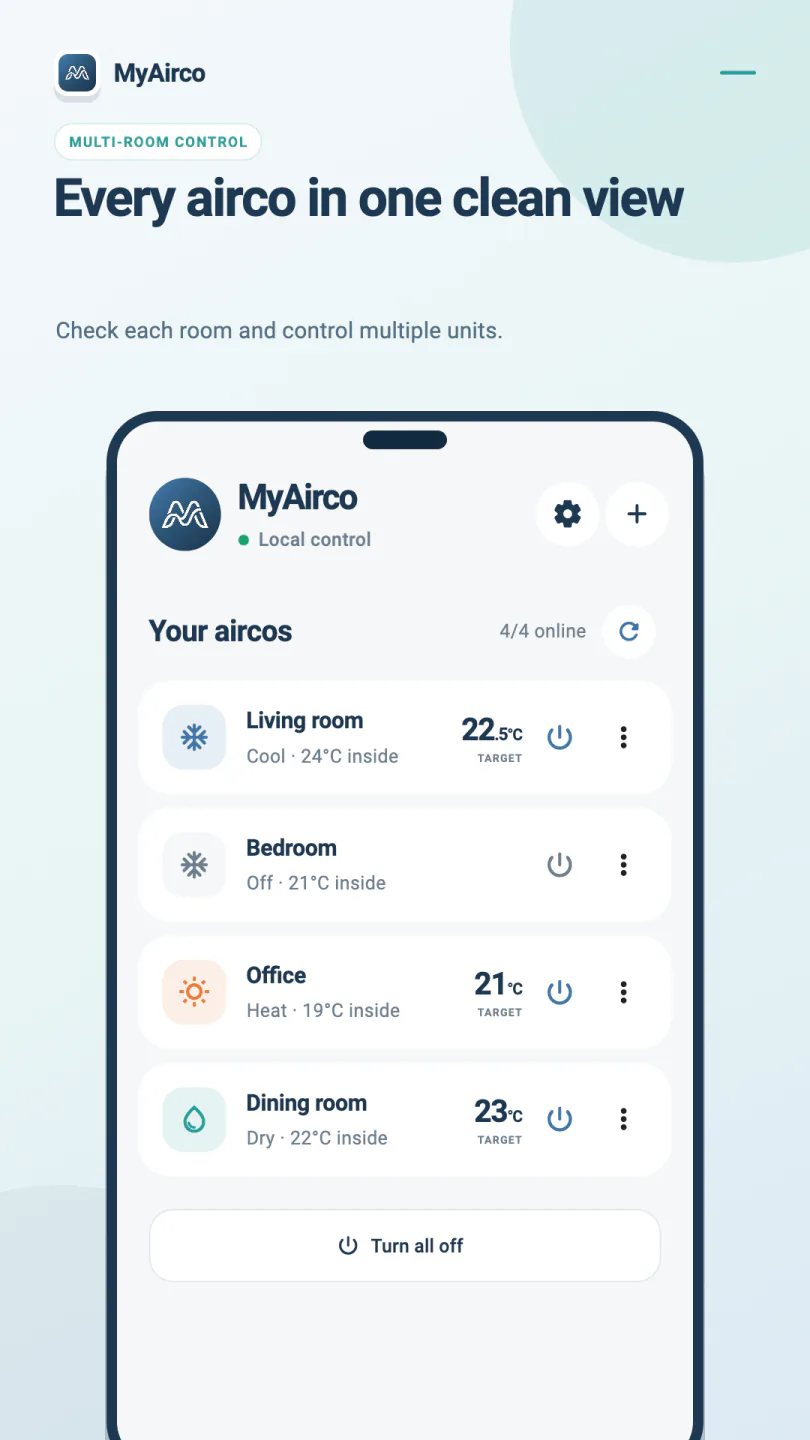
If you have several air conditioners, give each one a room name, such as Living room or Bedroom. You can then choose the right air conditioner from the list. Each air conditioner needs a supported Wi-Fi module connected to your home network.
Do you need to remove Smart M-Air?
No. You do not need to uninstall Smart M-Air to try MyAirco. If the air conditioner is already connected to your home Wi-Fi, MyAirco can look for it there. If you still need to connect it, follow the air conditioner Wi-Fi setup guide.
MyAirco works on its own. You do not need Home Assistant, a hub or an extra device between your phone and the air conditioner.
Is MyAirco the right Smart M-Air alternative for you?
- You mainly want to control your air conditioner while you are at home.
- You want to change the temperature without creating an account.
- You want several Mitsubishi Heavy Industries air conditioners in one app.
- You want Wi-Fi control to keep working during an internet outage.
Will MyAirco work with your Wi-Fi air conditioner?
Wi-Fi alone does not guarantee compatibility. MyAirco supports Mitsubishi Heavy Industries air conditioners fitted with a WF-RAC or WF-RAC-HTTPS module. These are the names of the Wi-Fi adapters that connect the air conditioner to your home network. Check your wireless connection guide or ask your installer which adapter is fitted.
MyAirco does not work with Mitsubishi Electric systems such as MELCloud. See the compatibility checklist before installing.